Overview
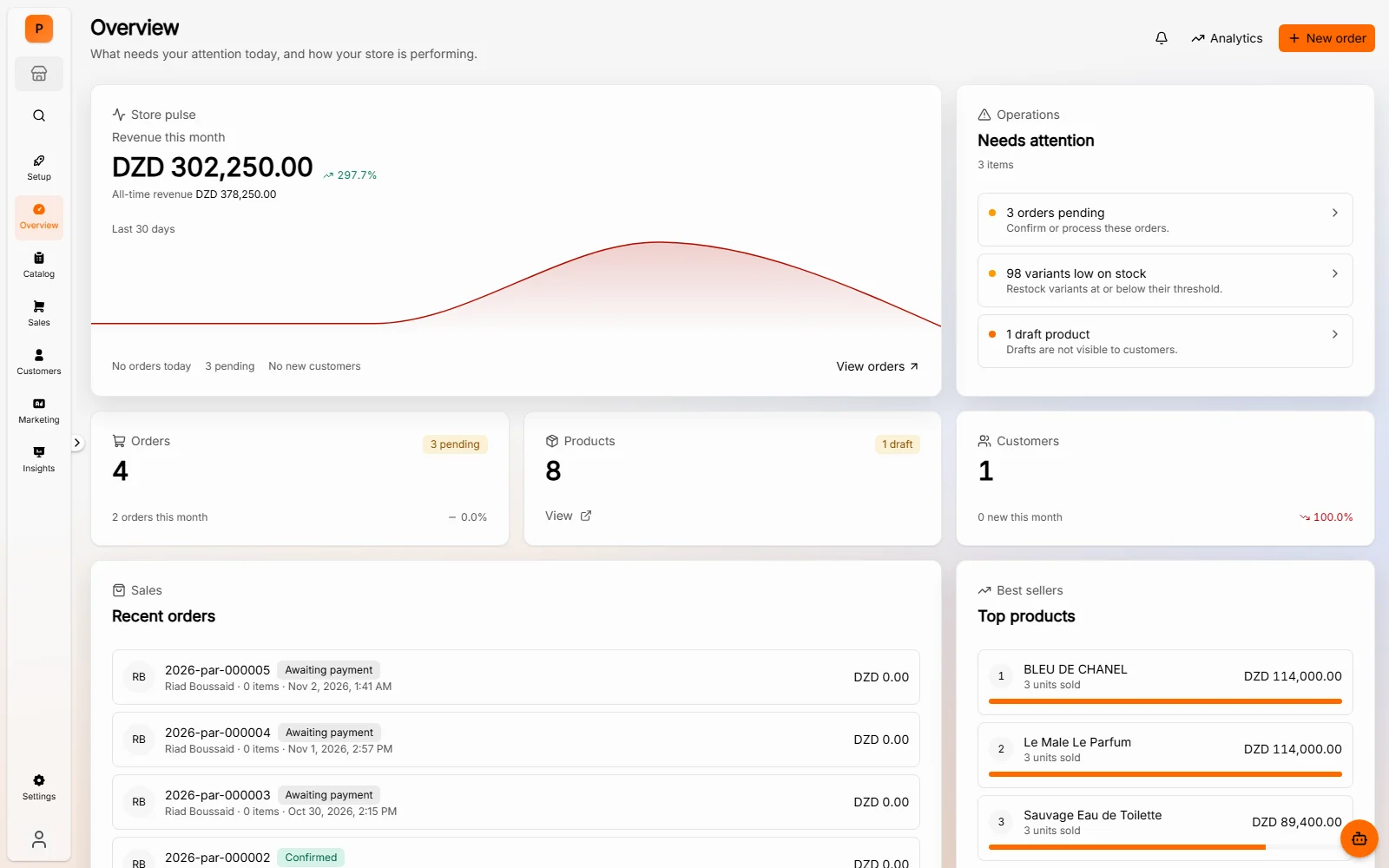
The daily picture
Revenue, pending orders, low stock, and the work that needs attention, in one view when the day starts.
Demo
The storefront at shop.prolifto.store runs on Prolifto. Browse the catalog and the COD checkout flow, then see how the same operational work looks in the dashboard.
No sign-in needed to browse.
Open the storefront
https://shop.prolifto.store
Revenue, pending orders, low stock, and the work that needs attention, in one view when the day starts.
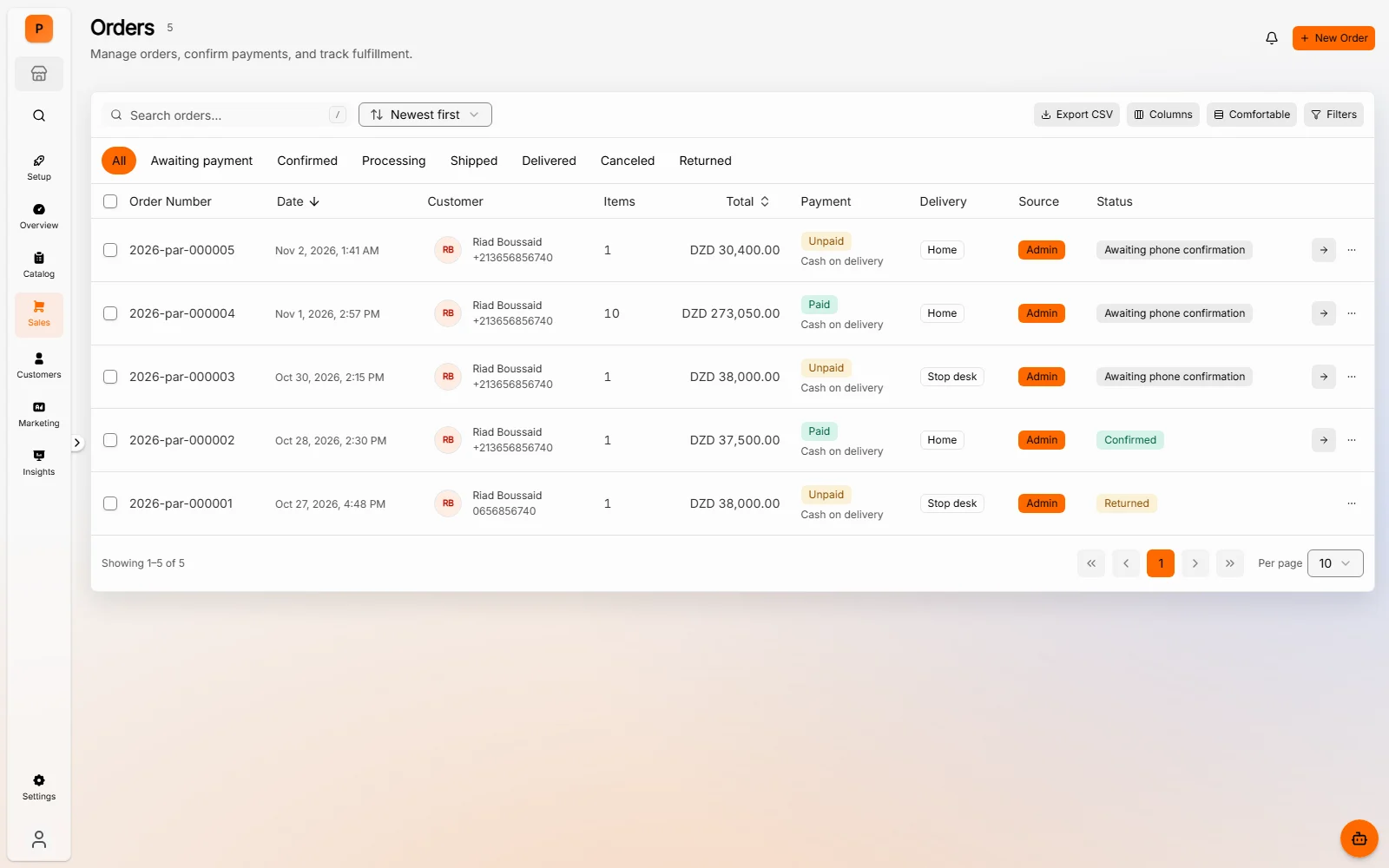
Orders, payment status, delivery method, and the next action in one table your team can work from.
Browse the live storefront, then compare it with the admin screens above.
Want the guided version?
Bring your questions about catalog setup, COD reconciliation, delivery rates, or moving from another platform.